Hi Permies community,
I’ve been a permaculture designer for years and like a lot of you I spent a long time frustrated by the lack of dedicated tools for this work. Hand-drawn sketches, Google Earth screenshots, spreadsheets, seven browser tabs open at once. I'm sure many of you can relate.
So I built something better. Today I’m launching the EarthWise Design Tool and I wanted to share it here first because this community is exactly who it was built for.
What EarthWise does:
EarthWise is a browser-based permaculture design tool for gardeners, homesteaders, designers, and anyone managing land. Here’s what’s inside:
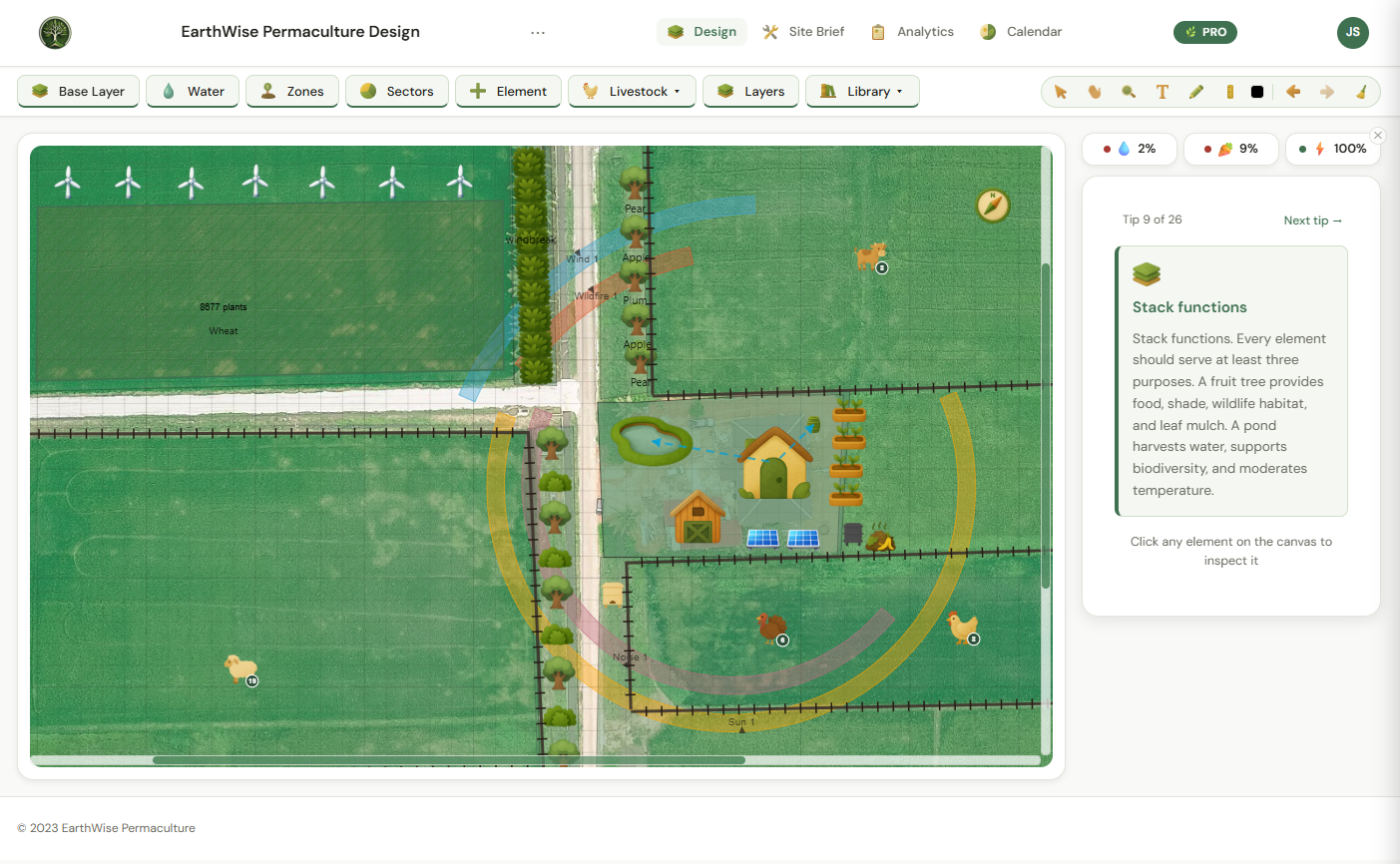
Design Canvas
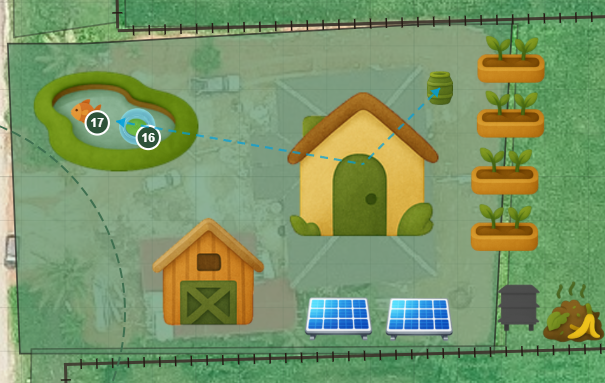
Draw zones, sectors, and elements directly onto an aerial view of your actual property. Place plants, trees, water features, structures, livestock, and energy systems exactly where they belong. The species library has over 300 species tagged by function — nitrogen-fixers, pollinators, dynamic accumulators, and more. Custom species and icons are supported too.
Zones and Sectors
Draw zones as polygons, circles, or rings — or drop the classic Permaculture Zones 0 through 5 preset in one click. Zone Health scoring evaluates your design against real permaculture criteria. Sector overlays cover sun, wind, water, noise, wildlife, wildfire, pollution, and people movement.
Water Systems
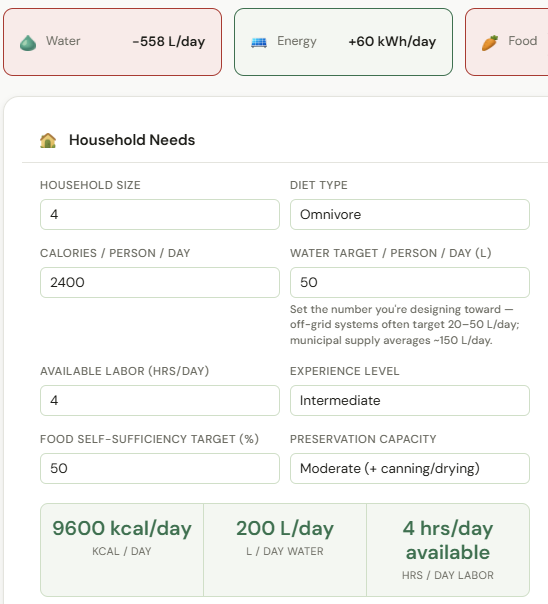
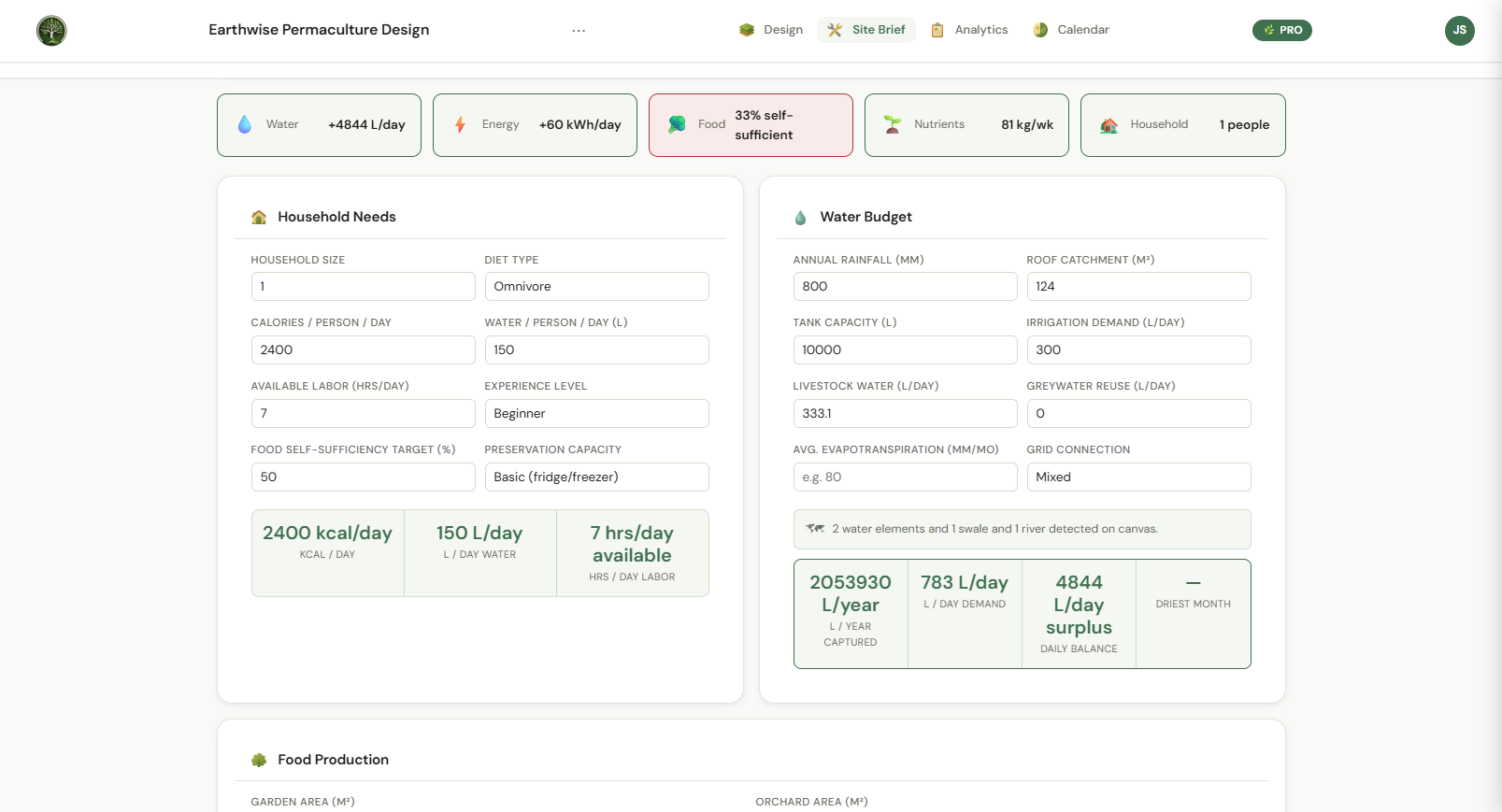
Map directional water flow across your site. The tool automatically calculates your full water budget — roof catchment feeding ponds, tanks, and cisterns, plus wells and rivers as sources. Household, livestock, irrigation, and plant demand are weighed against your total capture in real time.
Energy Systems
Place solar panels or wind turbines and get physically modeled output estimates based on your actual location and real climate data. Load versus generation analysis shows your energy balance with actionable suggestions.
Guilds and Companion Planting
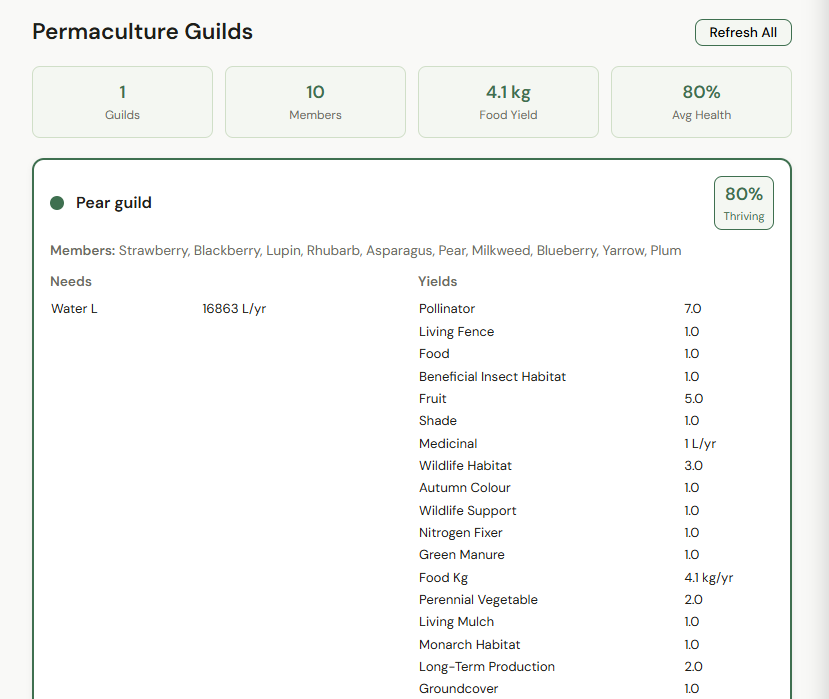
Build plant guilds and get combined water, nutrient, and yield totals calculated automatically. Companion planting conflict and synergy detection flags known incompatible pairings — including allelopathy warnings — before you commit to them.
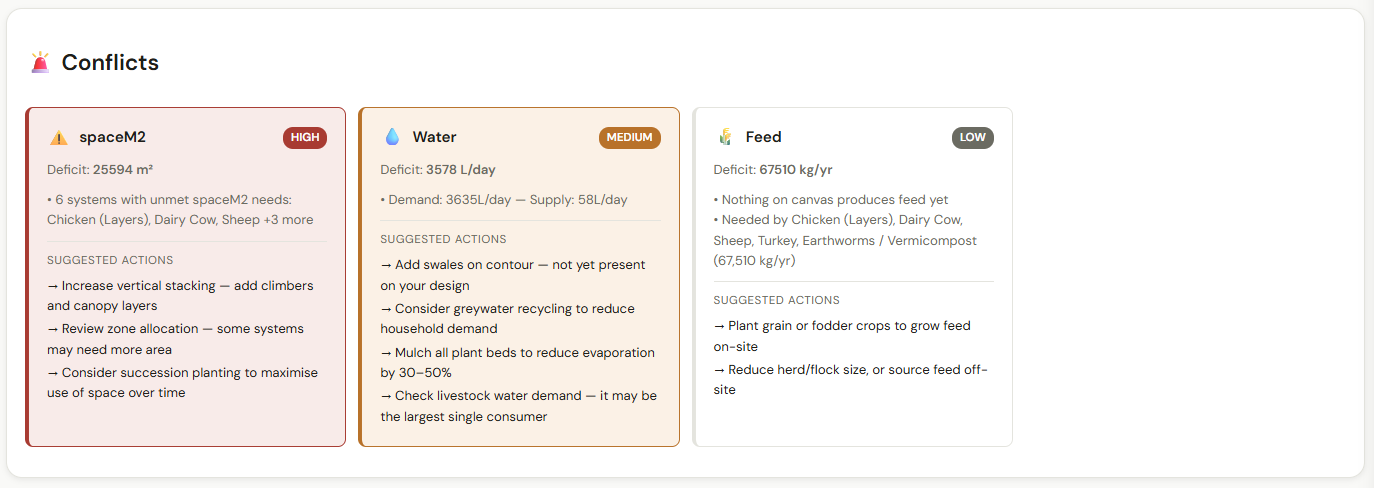
Automated Design Gaps
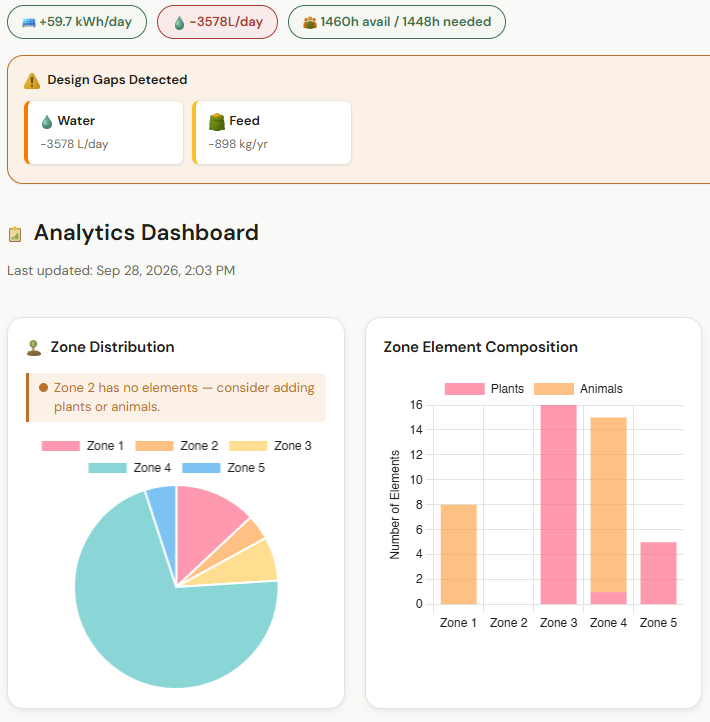
This is the feature I’m most proud of. As you design, EarthWise reviews your layout against real permaculture criteria and flags what’s missing — water harvesting, nitrogen fixers, energy systems, pollinator habitat — with severity levels and specific suggested fixes. It catches design problems while you draw.
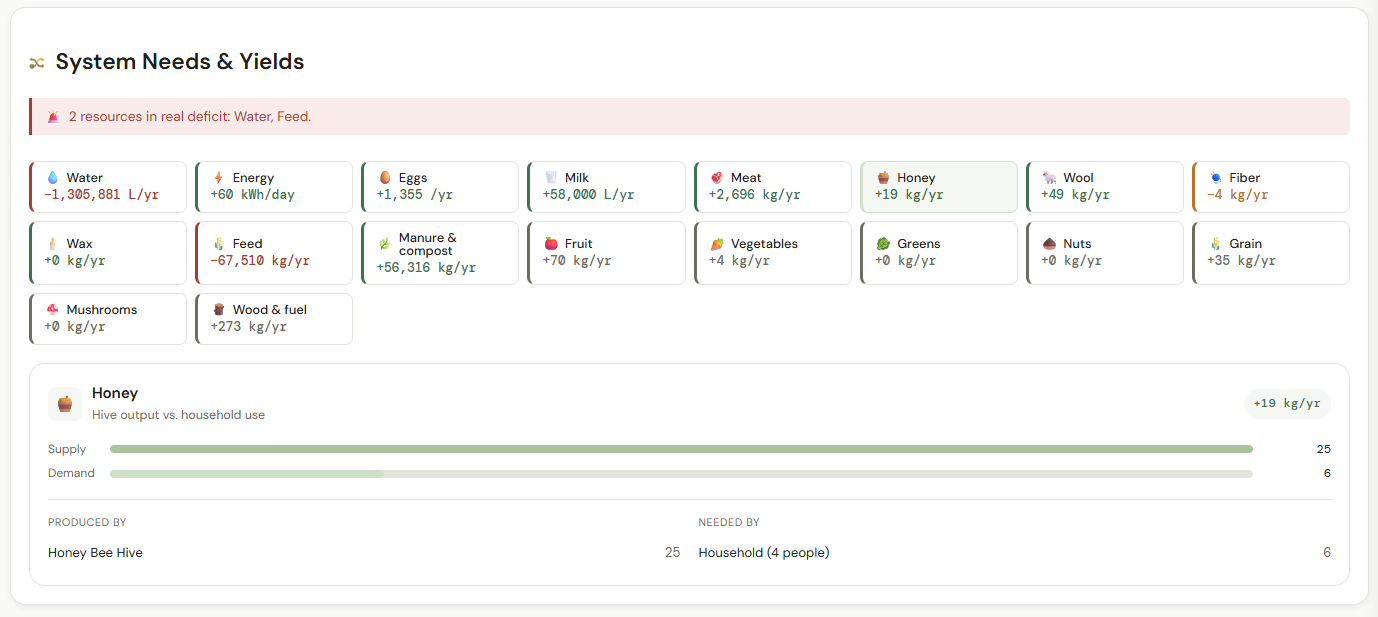
Analytics and Yield Tracking
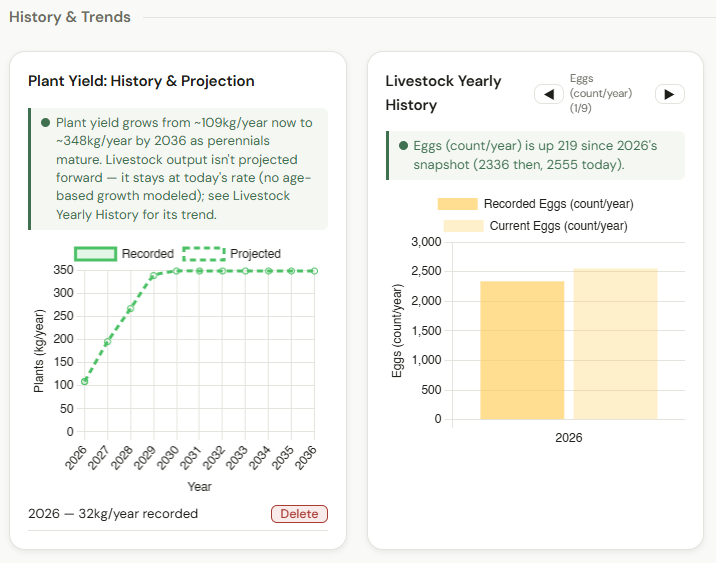
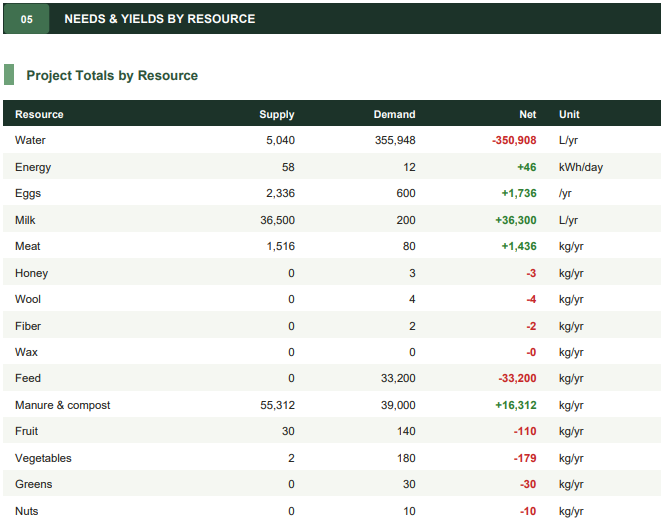
Yield, resource balance, and zone productivity charts. Supply versus demand tracking across 15 resource types including water, energy, eggs, milk, honey, fruit, and grain. Food forest growth projection shows how your system evolves as trees and shrubs mature over time.
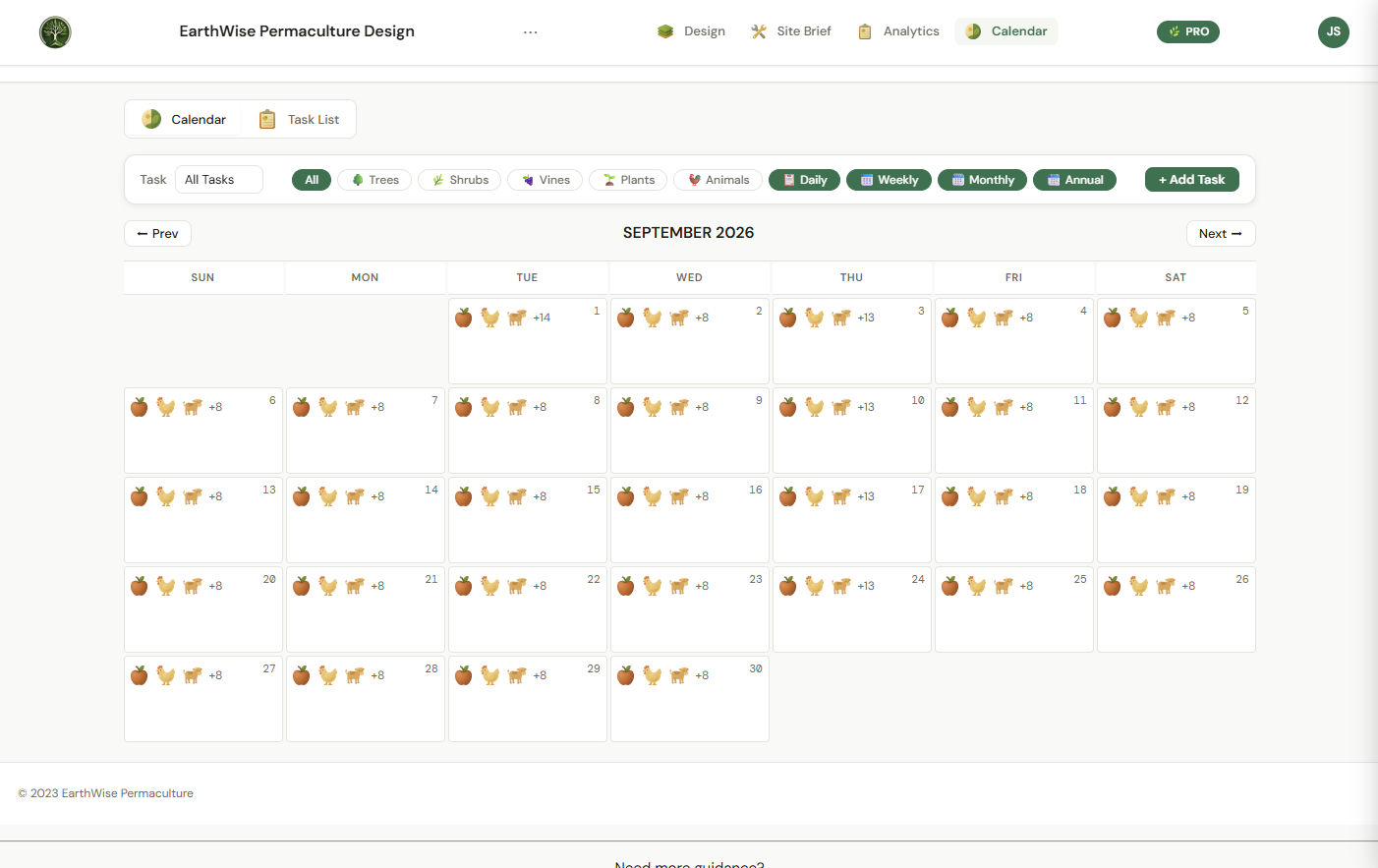
Planting Calendar
Auto-generated planting and harvest windows based on real frost dates for your exact location. A livestock care calendar covering laying peaks, breeding windows, honey harvests, and rotation reminders — all driven by real NASA and Open-Meteo climate data.
Works Everywhere
Runs in any modern browser.
On the roadmap:
Full offline support and desktop/mobile app installation are coming soon. Multiple language support and a paddock planning system are also in development. This tool is actively being built and the community here will help shape what comes next.
Pricing:
Base — $65 CAD one-time lifetime purchase (up to 3 saved projects)
Pro — $65 CAD per year (unlimited projects, branded PDF reports, Google Earth KML export, version history, multi-account collaboration, Blueprint mode)
Free to try — no account needed, no credit card, just open it and start designing.
A note on where this came from:
This isn’t a software company that discovered permaculture. I’m a Permaculture practitioner who got frustrated enough to learn how to code. Every feature in EarthWise came from a real problem I ran into in my own design practice. Zones and sectors and guilds aren’t afterthoughts bolted onto a generic garden planner — they’re what the whole tool was built around.
I’d genuinely love feedback from this community. If you try it and something doesn’t work the way you’d expect a permaculture tool to work, I want to know. You can reach me directly at
joel@earthwisepermaculture.ca.
Permies Community Discount
As a thank you to this community (the people this tool was built for) I’m offering an exclusive discount to anyone who finds EarthWise through this thread.
Use code
PERMIES20 at checkout for
20% off lifetime access.
This code doesn’t expire so take your time - try it free first and use the code when you’re ready.
Try it free today at https://app.earthwisepermaculture.ca/
I’ll be updating this thread regularly with feature deep-dives, tutorials, and more fun stuff. Ask questions, share feedback, and let me know what you’d want to see in a tool like this. This community’s input genuinely shapes what gets built next.
Thanks for having me!
Joel
EarthWise Permaculture
earthwisepermaculture.ca
Instagram: @EarthWiseCA








 3